
Manage your inventory.Understand your business.
Meet Spine, inventory management for independent used bookstores. Manage your stock today, with sales connections and in-depth reporting coming soon to help you make more informed buying and pricing decisions.
Create your storeSpine is currently free to use.
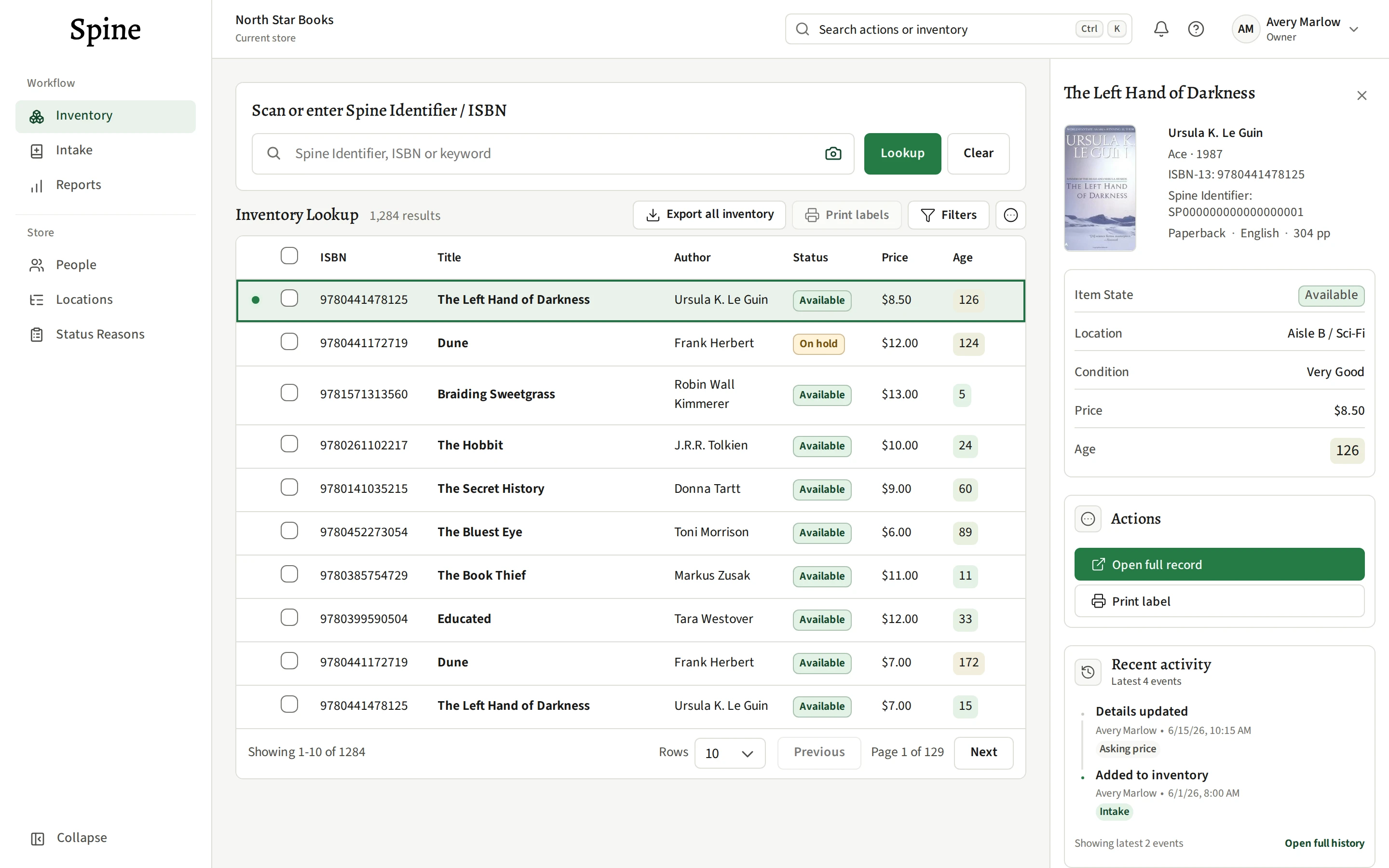
A working home for your stock.
Scan books into stock, record condition and pricing, and give each copy a place in your shop. Search your inventory, print copy labels, and review how long a copy has been in Spine.
Explore inventory featuresYour inventory is yours to keep. Download a full export for your records or use it in a spreadsheet.
What’s working
in your bookstore?
In-depth reporting · Coming soon
Your inventory and sales belong in the same picture. Planned reporting will help you spot patterns in your stock and put them to work in your buying, pricing, and stocking decisions.
See demand alongside what you have.
Compare sales by category and over time with the stock you’re holding. A popular category tells a different story when your shelves are full of it than when you’re running low.
Give slow-moving stock a closer look.
Bring intake dates, current stock, and matched sales together to understand time on the shelf. See which books tend to move quickly and which copies may be due for a fresh look at their price or placement.
Put your pricing in perspective.
Look at asking-price history alongside actual sales and time on the shelf. Use those patterns to inform your next adjustment, with the experience of your own store behind it.
Make your next buy an informed one.
See what’s finding buyers alongside what you already have. Use category demand and stock levels to decide where to buy more and where you’re already well stocked.
Connect the sale
to the book.
Planned connections with POS and other sales systems will match a sale to its copy, update it to Sold, and bring the transaction into its history. That keeps your inventory and sales connected, from intake to sale.
A few things
before you begin.
Here’s how Spine fits into your shop today.
Does Spine replace my checkout?
Your current POS continues to handle checkout, payments and orders. Today, you mark copies sold in Spine manually. Connections that match sales to inventory and update a copy’s status automatically are coming soon.
How do I add my books?
Add copies through Intake by scanning, entering an ISBN, or filling in the details manually. Review the suggested book information, then set the copy’s condition, price, and location. For existing stock, you can start with new arrivals or work through your shelves; bulk upload isn’t available yet.
Can I bring my team?
Yes. Invite people to your store and assign their roles. Your team works with the same inventory, and item history records who made a change and when.
Where can I get help or request my data?
Email [email protected] for support. You can download a full inventory export in Spine. For other access, correction, or deletion requests, include your store name and what you need. We’ll verify your identity and authority for the store before handling its data. The data-request page explains the process.