
A closer look at your inventory.
Bring books into stock, put them in the right place, and keep their records up to date. These tools are available in Spine today.
Bring new arrivals into stock.
Scan an ISBN with your phone’s camera or enter it to look up a book. Use the matching details, make corrections, or enter the book yourself.
Add condition, asking price, and location for the copy in front of you. You can also record what you paid, where it came from, and when you acquired it.
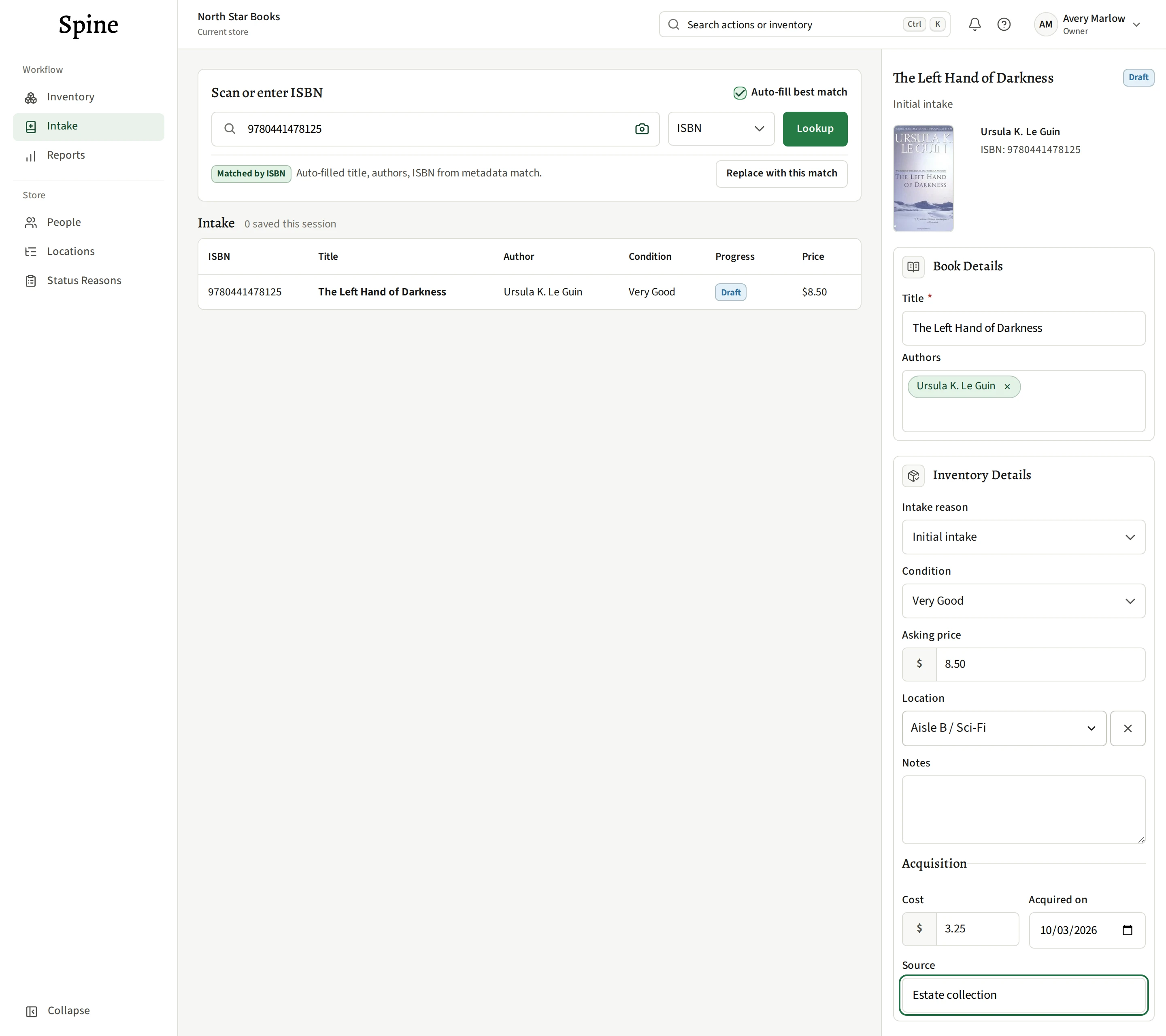
Working through a stack? Save a copy and move on to the next ISBN. Reuse your last location when it fits.
Find the copy and its place.
Set up locations to match your shop, from an aisle down to a shelf. Search the location tree when you place a copy, then filter inventory by a location and everything beneath it.
Look up a title, ISBN, or Spine Identifier. Each copy keeps its own price, condition, location, and availability.
See the inventory workspace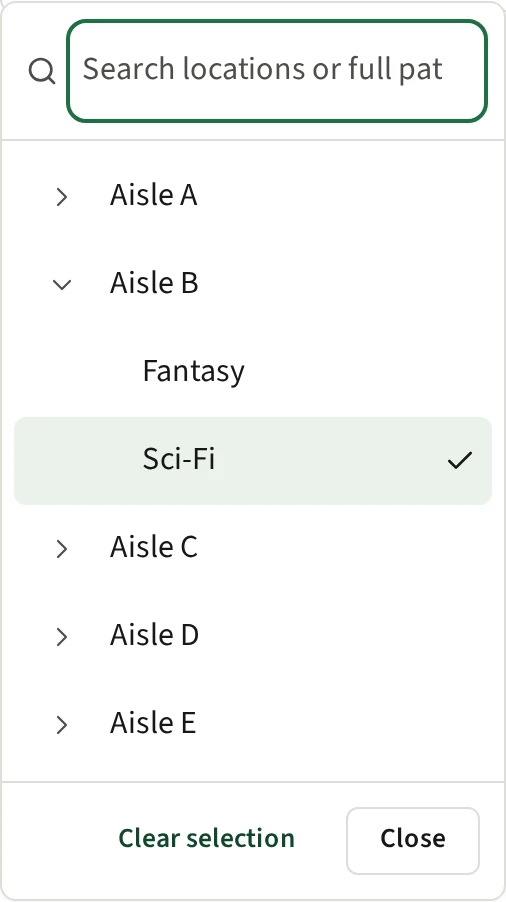
Label the copies you’re handling.
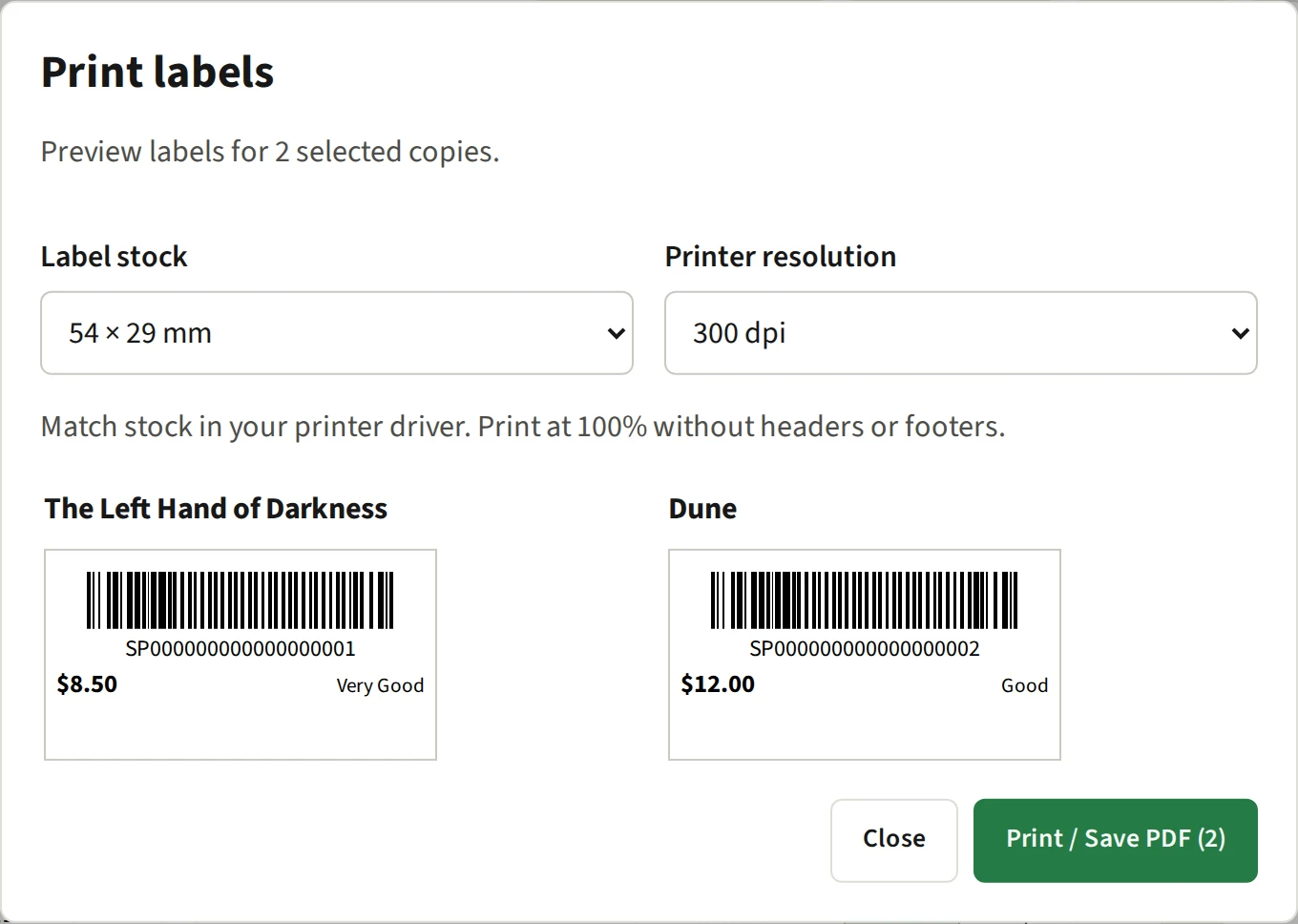
Each saved copy gets a permanent Spine Identifier. Print a label for one copy, a batch from intake, or copies you select in inventory.
The barcode takes you back to that copy’s record. Preview the labels, then print them or save them as a PDF.
Keep track of time and changes.
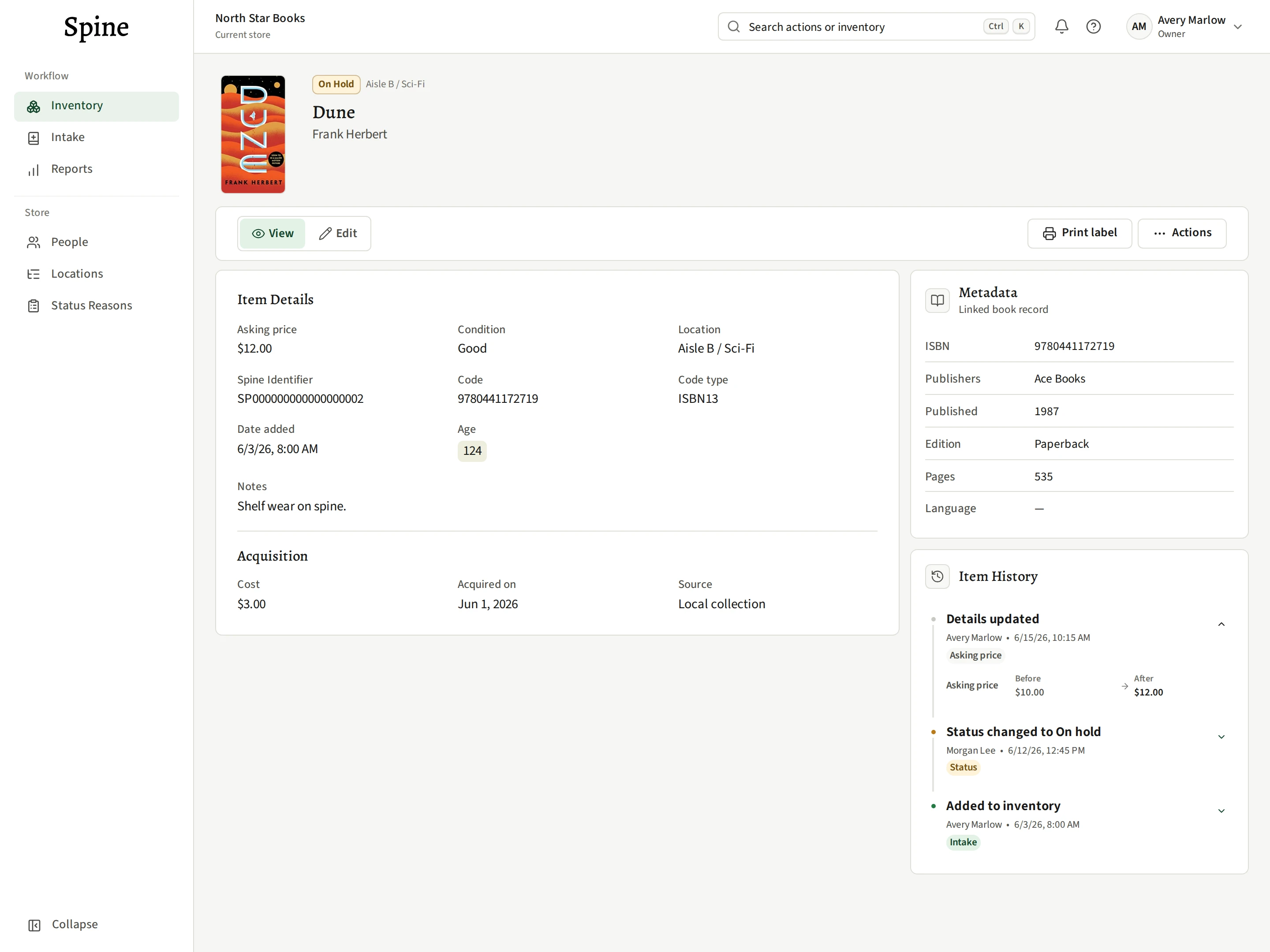
Use Age to review stock by the number of days since each copy was added to Spine. Sort or filter the list to find the copies you want to revisit.
Open a copy’s history to see who changed its details, when they changed, and the earlier values. Acquisition details stay with the record, separate from the date it was added.
Take your inventory records with you.
Owners and managers can download a CSV of the store’s full inventory, across all statuses. It includes copy identifiers, location paths, and acquisition details alongside the book and stock information.
Keep a snapshot for your records or work with it in a spreadsheet.
From inventory to useful insights.
Sales connections and in-depth reporting are coming soon, building on the stock you manage today.
Explore what’s planned